para üstünü posi'de artık otomatik hesaplayabilirsin. you can now calculate change automatically in posi.
ödeme esnasında aldığınız banknotları seçin, posi para üstünü anında hesaplasın — kaç lira geri vereceğinizi bile söyler. pick the notes you received during checkout and posi calculates the change instantly — it even tells you how much to hand back.
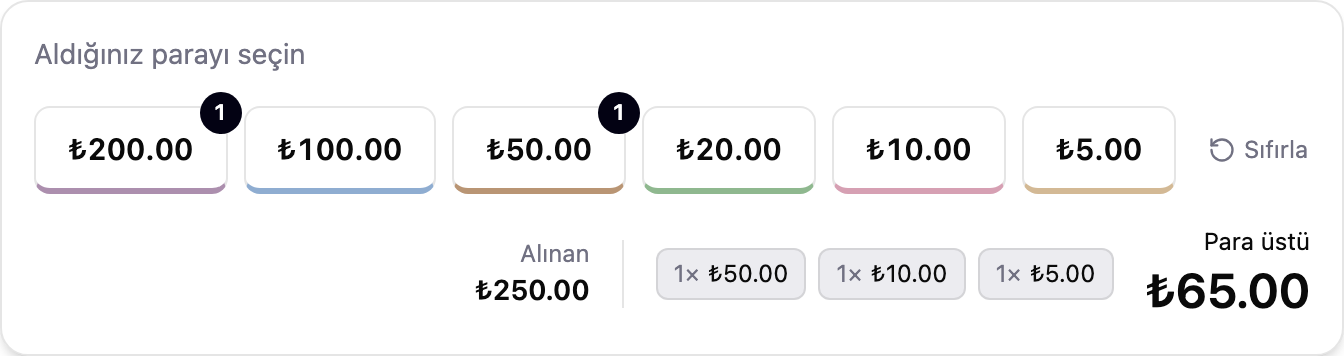
kafadan para üstü hesaplamak zor bir iş — özellikle telefon çalarken, sırada başka bi' müşteri varken. artık bunu yapmana gerek yok: kasada Nakit ödemeyi seçtiğinde aldığın banknotları ekranda işaretle, posi alınan tutarı hesaplasın ve ne kadar para üstü vermen gerektiğini göstersin.doing change math in your head is hard — especially with the phone ringing and another customer in line. you don't have to anymore: pick Cash at checkout, mark the notes you received on screen, and posi works out the total received and shows exactly how much change to hand back.
aldığınız banknota dokunun, gerisini posi hesaplasıntap the note you received, posi does the rest
her banknot için ayrı bir seçenek var: ₺200, ₺100, ₺50, ₺20, ₺10, ₺5. müşteri size iki tane ₺100 verdiyse iki kere ₺100'e dokunabilirsin — üstte küçük bir sayı kaç tane o banknottan aldığını gösterir. her butonun altında gerçek banknotun rengini hatırlatan ince, yumuşak bir çizgi var; kalabalık bir günde doğru tuşu bulmak hızlı olsun diye.each note gets its own option: ₺200, ₺100, ₺50, ₺20, ₺10, ₺5. if a customer hands you two ₺100 notes, tap ₺100 twice — a small number on top shows how many of that note you've taken. each button carries a thin, soft edge in the real note's color, so finding the right one on a busy day is fast.
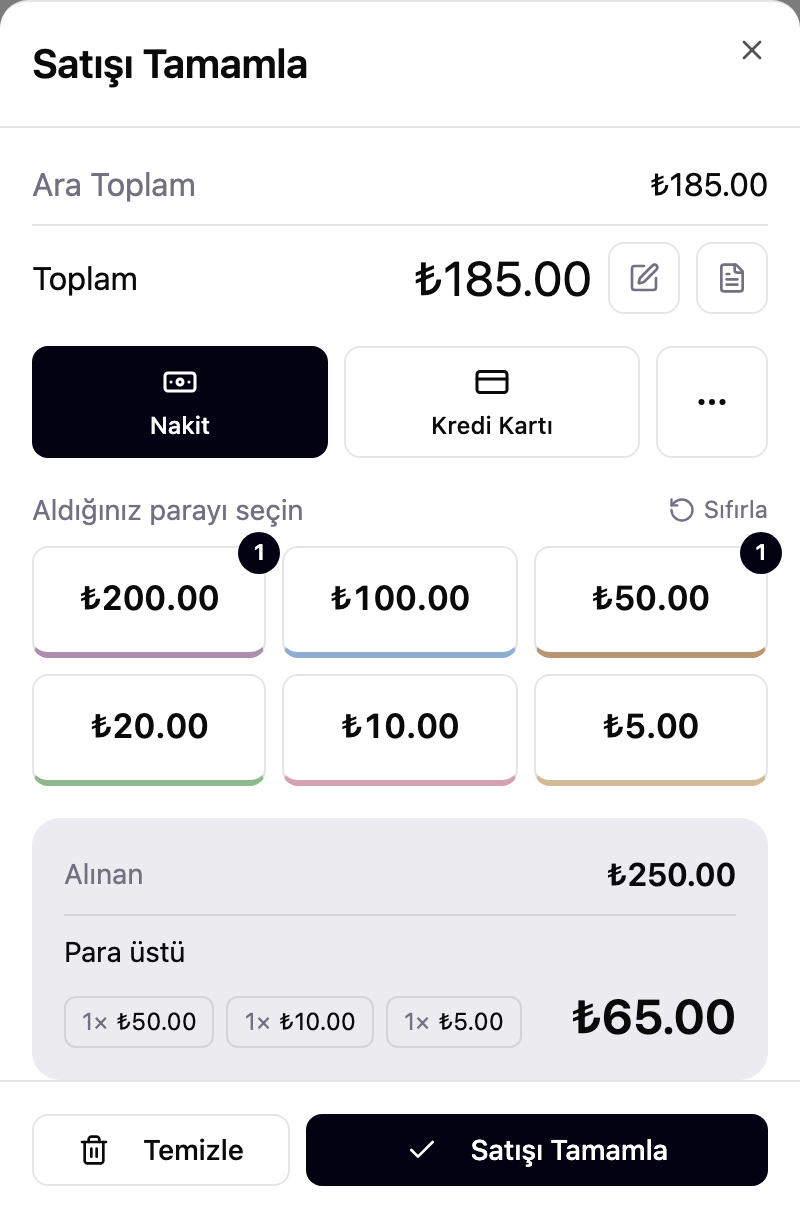
para üstü varsa posi hangi banknotları geri vermen gerektiğini gösterir: "1× ₺50, 1× ₺10, 1× ₺5" gibi. hesap makinesi açmaya ya da kafadan hesaplamaya gerek kalmaz — yanlış para üstü verme riski ortadan kalkar.if there's change due, posi shows exactly which notes to hand back — "1× ₺50, 1× ₺10, 1× ₺5", for example. no calculator, no mental math — no risk of shortchanging anyone by mistake.
kart mı, yemek kartı mı? farklı bir ekran karşılıyorpaying by card? a different screen takes over
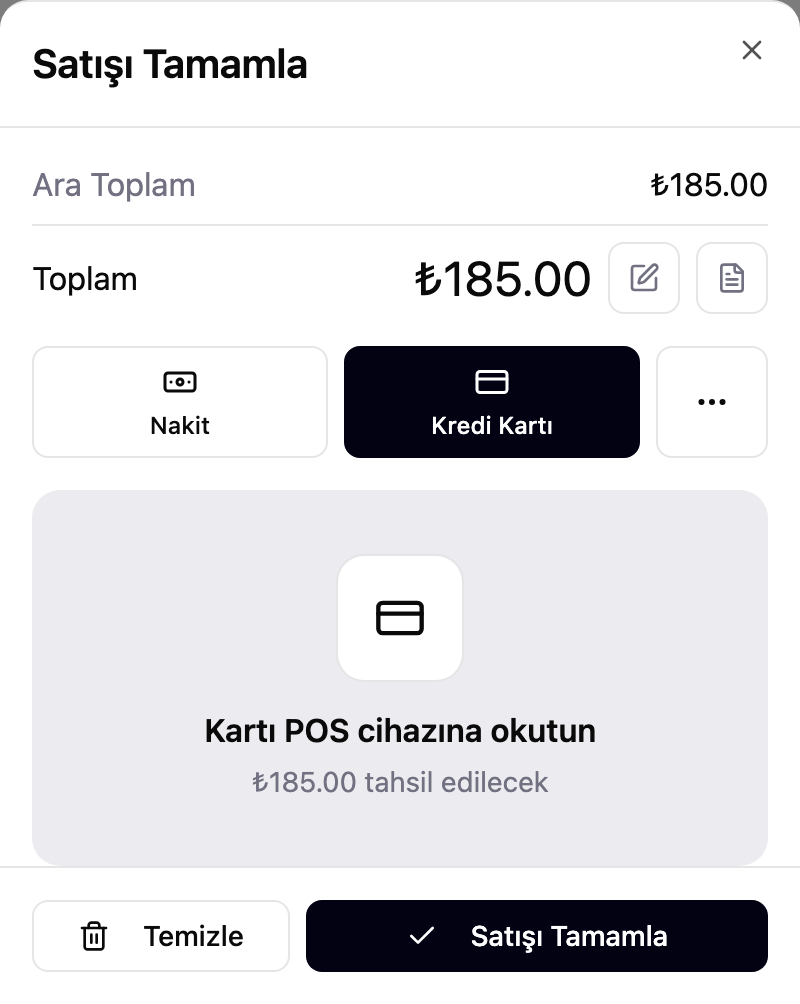
nakit dışında bir yöntem seçtiğinizde banknot sayacı yerini o yönteme uygun bir ekrana bırakır. Kredi Kartı'nda "kartı POS cihazına okutun" yazısı çıkar; tahsil edilecek tutar hep gözünüzün önündedir. bu güncellemeyle birlikte Yemek Kartı da eklendi — artık Nakit, Kredi Kartı ve Diğer'in yanında dördüncü bir seçenek: Yemek Kartı.pick anything other than cash and the note tally is replaced by a screen suited to that method. Credit Card shows a "tap card on the POS terminal" prompt, with the amount to charge always in view. this update also adds Meal Card — now a fourth option alongside Cash, Credit Card and Other.
bu özellik en çok istenen taleplerden biriydi — geri bildiriminiz için teşekkürler. sırada ne olsun istediğinizi yazın — [email protected].this was one of the most-requested features — thank you for the feedback. tell us what you want next — [email protected].
bir sonraki satışta deneyin.try it on your next sale.
posi'yi açın, kasada Nakit'i seçin ve aldığınız banknota dokunun — para üstü kendiliğinden çıkar. henüz başlamadıysanız, kart gerekmeden saniyeler içinde başlayın.open posi, pick Cash at checkout, and tap the note you received — the change shows up on its own. not started yet? get going in seconds, no card needed.